wgrb2
wgrb2: Download data instruction manual and other things
Downloading data
- Specify the start and end date for which you want to download the data on this link:
- Enter the email address at which you want to receive the link to download
- The site works using Anonymous FTP
- Download WinSCP
- Open New Connection with the following values:
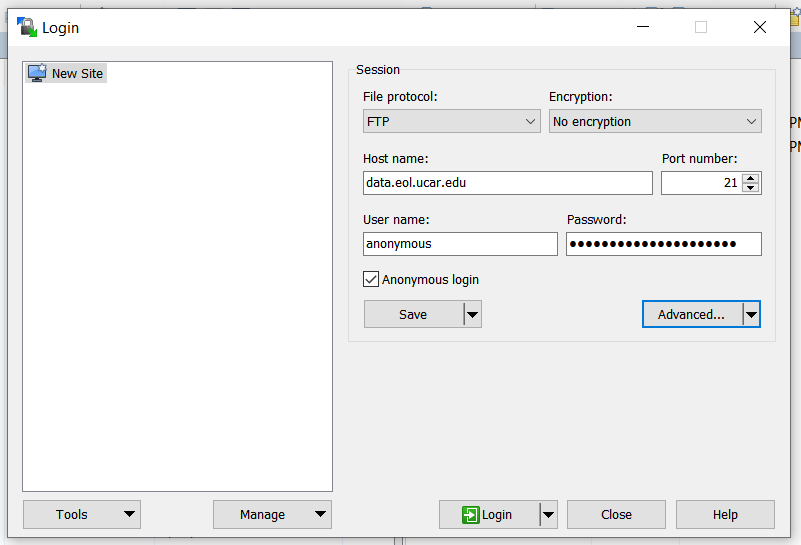
- Go in Advanced and specify the directory,
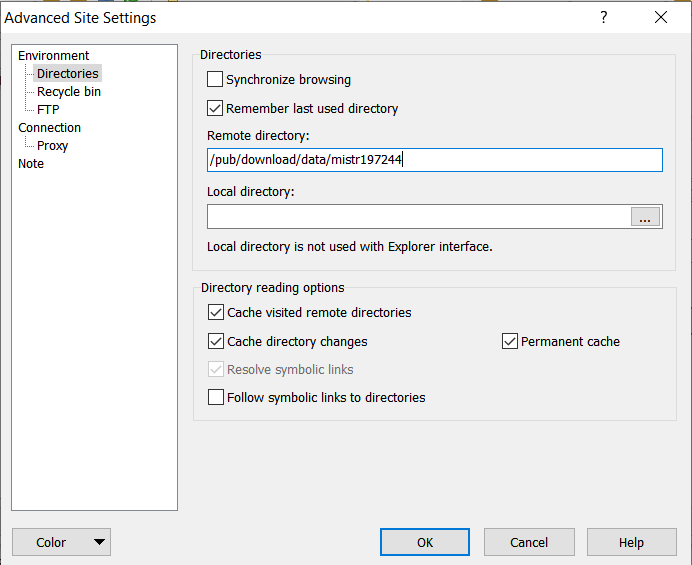
- Once entered, click OK and Login.
- Then you will be able to see the data with grb2 data